AI Pet Dance & Prank Video Guide: Make Your Dog or Cat Dance from 1 Photo
 Angry Dance Studio Team
Learn how to turn one dog or cat photo into a smooth upright AI dance, kung-fu grooming salon prank, spooky zombie ambush, or holiday card—without warping paws or fur markings.
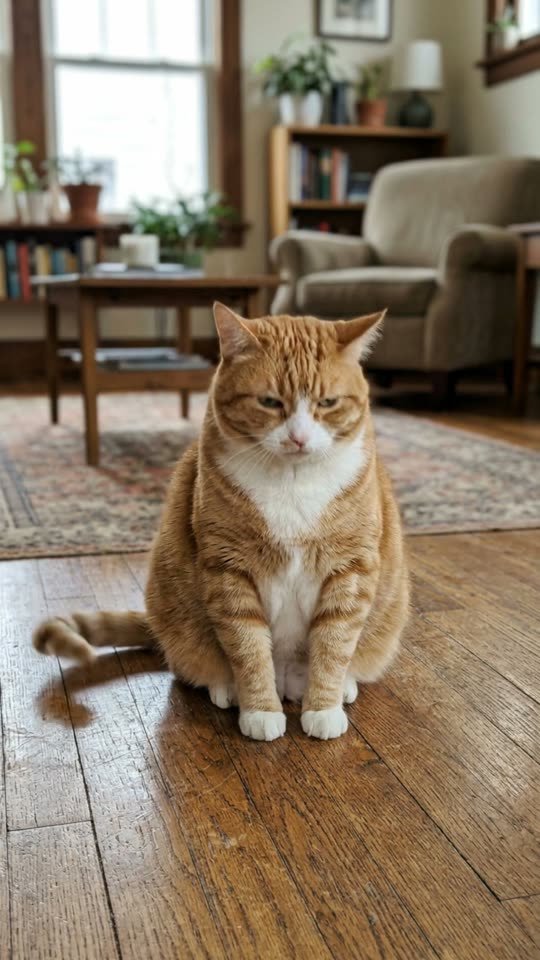
Pet clips are the undisputed engagement engine of AI short-form video: a golden retriever bouncing on its hind legs, an orange tabby hitting a sassy disco hip-sway with a grumpy face, or a poodle throwing kung-fu jabs at a surprised groomer needs zero translation across languages.
Yet anyone who has pasted a generic "make my pet dance" prompt into an uncalibrated video tool knows what usually goes wrong—cats grow canine snouts, short-legged corgis stretch into human proportions, or white chest patches vanish mid-clip.
Here is the complete creator guide to picking anatomy-tuned pet presets on Angry Dance, preparing the cleanest source photo from your camera roll, and choosing between single-step animation and two-step comedy scenes.
1. Dogs vs. Cats: Why Anatomy-Specific Presets Matter
Dogs and cats move completely differently when standing upright, which is why Angry Dance separates canine and feline choreography into dedicated presets rather than forcing one generic prompt onto both:
- Dog Dance AI (Canine Bounce & Happy Paws): Tuned for canine hind-leg balance, joyful left-right body bounce, playful front-paw waves, and upbeat tail wags—keeping golden retrievers, corgis, frenchies, shibas, and mixed breeds true to their real build.
- Cat Dance AI (Feline Spine, Tail Flick & Grumpy Attitude): Generic prompts often stretch a cat's torso unnaturally. Cat Dance AI locks flexible feline proportions, rhythmic tail flicks, groovy hip-sways, and that signature unbothered, grumpy cat expression that makes PetTok clips hilarious.
2. Compare All 6 Pet Video & Photo Effects
Whether you want an upbeat dance, a slapstick prank for the family group chat, or a printable holiday card, pick the workflow built for your goal:
| Pet Effect | Output Type | What Happens in the Scene |
|---|---|---|
| Dog Dance AI | 5s 9:16 Video | Your pup stands on its hind legs in your real room, bouncing and waving front paws |
| Cat Dance AI | 5s 9:16 Video | Your cat stands upright hitting a sassy hip-sway dance with an unbothered grumpy face |
| Groomer vs Dog AI | 2-Step 5s Video | Places your pet on a salon table with shampoo suds on its head, throwing playful kung-fu paw jabs |
| Zombie Pet AI | 5s 9:16 Video | Starts calm, then eyes glow eerie green as your pet lunges dramatically toward the lens |
| Christmas Pet AI | 3:4 HD Portrait | Crooked reindeer antlers, paws tangled in glowing string lights & torn holiday gift wrap |
| AI Caricature | 3:4 Illustration | Playful hand-drawn big-head cartoon illustration of your pet (or you + your pet together) |
3. Four Camera-Roll Rules for Clean Paws & Fur Markings
Before uploading to Dog Dance AI, Cat Dance AI, or Zombie Pet AI, scan your pet gallery for these four traits:
- Get down to eye level: Standing over your dog and shooting straight down at the floor hides its chest and hind legs underneath its head. Crouch to your pet's eye level so ears, chest markings, front legs, and back paws are all clearly separated.
- Sitting or standing beats curled-up naps: A dog sitting alertly for a treat—or a cat perched upright on a rug or couch—already shows clear limb placement, giving Kling 2.5 Turbo and
Muse Videoan effortless starting pose to stand upright. - Skip buried blankets for single-step dance clips: If half of your cat is tucked inside a duvet, a single-step motion model has to guess what color its back legs are.
- Have a couch photo with messy surroundings? Use a 2-step preset! Because Groomer vs Dog AI runs a first-stage scene composite (
Muse Image, 12 credits) before animating the 5-second slapstick bout, you do not need a salon photo—even a casual living-room snapshot gets cleanly transported onto a stainless-steel grooming table with white shampoo foam on your pet's head.
4. Custom Pet Storylines in the Image-to-Video Studio
Want to invent your own PetTok concept—like your dachshund DJing at a miniature turntable, or first styling your pup with Christmas Pet AI (12 credits) and then animating the holiday card so the string lights twinkle as your dog wags its tail?
- Generate your themed pet portrait in Christmas Pet AI and download the PNG.
- Open the Image-to-Video Studio and upload that portrait as your starting frame.
- Select Kling 2.5 Turbo or
Muse Video(20 credits / sec) and describe one clear motion with aStatic cameradirective:- Example prompt:
The dog wearing reindeer antlers tilts its head playfully, wags its tail happily, and blinks as the colorful Christmas lights glow warmly. Keep the dog and room unchanged. Static camera.
- Example prompt:
5. Try It With Your Pet's Best Snapshot
Check our live TikTok Viral AI Photo-to-Video & Dance Trend Radar (/trends) to see which pet, comedy prank, and holiday formats are climbing fastest this week—then test your favorite snapshot directly:
- Upright canine dance: Dog Dance AI
- Grumpy feline hip-sway: Cat Dance AI
- Bath-day kung-fu comedy: Groomer vs Dog AI
- Holiday card & spooky hooks: Christmas Pet AI · Zombie Pet AI
- Custom 5s–10s pet animation: Image-to-Video Studio